
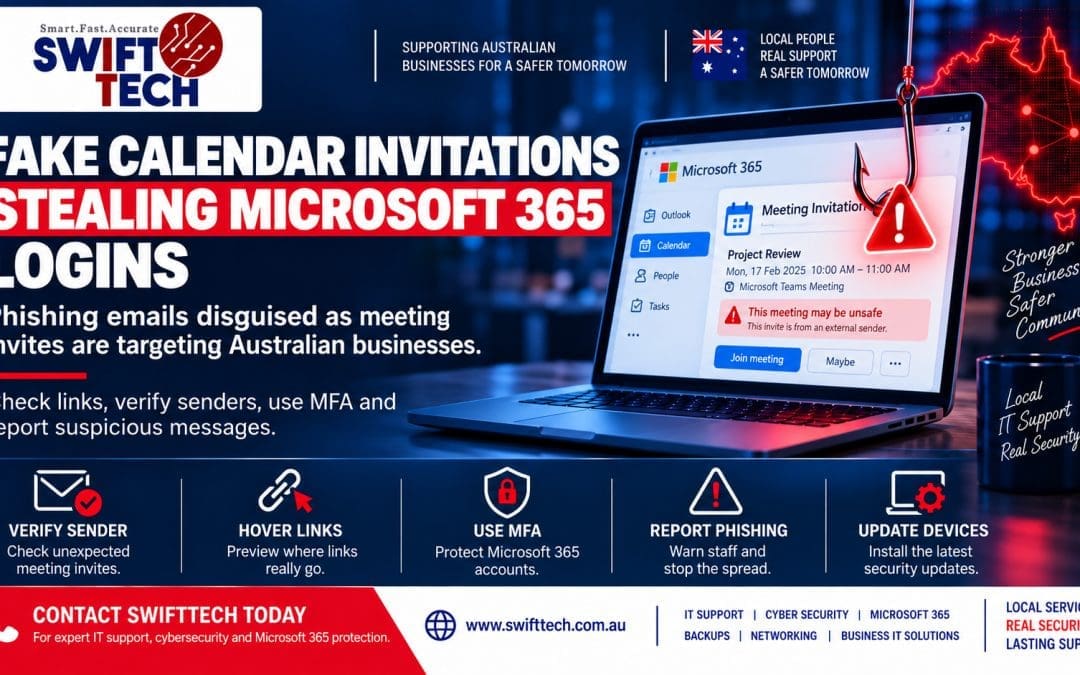
SwiftTech Weekly Cybersecurity Update | 19 October 2026
A meeting invitation usually feels routine. You see a familiar-looking calendar request, click Join meeting, and expect to be taken to Teams or another meeting service. Cybercriminals are counting on that habit.
On 15 October 2026, Check Point’s email security researchers described large phishing campaigns that disguise malicious links as calendar invitations and Microsoft meeting notices. Their detection systems identified more than 302,000 unique phishing emails sent to over 40,000 organisations in the customer data they analysed. That is a measure of activity observed by Check Point, not a count of Australian victims or confirmed account takeovers. Read the original Check Point research.
The warning matters to any Australian business using Microsoft 365, Outlook, Teams or shared calendars. You do not need to be a large company to receive one of these messages.
What happened this week?
Researchers found invitations that looked like normal calendar messages. Some used an .ics file, the ordinary file format used to add appointments to a calendar. Others used meeting links that appeared to lead to a familiar service. The destination could instead ask the recipient to enter their Microsoft account details on a fraudulent page.
The important distinction is that the calendar format itself is not necessarily broken. According to Check Point, the attacks abuse trusted workflows and human expectations; they are not described as exploiting a new vulnerability in Outlook or Teams. Opening a calendar file does not automatically mean your account has been stolen. The danger increases when you follow a deceptive link and provide login details or approve an unexpected sign-in.
A separate 14 October 2026 Microsoft investigation described a large criminal marketplace supplying ready-made phishing pages and messages. Microsoft said the ecosystem helped generate enormous volumes of fraudulent communications worldwide. It is useful context for why scams can appear so polished, but it should not be confused with proof that the same operators ran the calendar-invite campaign. Read Microsoft’s investigation.
Why this is a business problem, not just an annoying email
A stolen Microsoft 365 account can expose more than an inbox. Depending on the account’s permissions, an intruder may be able to read conversations, impersonate a staff member, view shared files, or use a trusted address to contact customers and suppliers.
Consider an accounts officer who receives a meeting invitation about an overdue invoice. The invitation links to what looks like a Microsoft sign-in screen. If the officer enters their password, a criminal may try to use those credentials to access the mailbox. From there, the criminal could study real invoices and send convincing requests to change bank details.
That last step is known as business email compromise. The Australian Cyber Security Centre (ACSC) warns that attackers can use compromised or lookalike email accounts to redirect payments and obtain confidential information. For a small business, even one fraudulent payment can be serious.
Who should pay particular attention?
This warning is relevant to businesses where staff regularly accept external appointments: accountants, real estate offices, trades, medical practices, professional services, retailers and community organisations. Reception staff, sales teams, finance employees and business owners may all receive unexpected meeting invitations.
Businesses using Microsoft 365 are an obvious target because the phishing pages impersonate Microsoft sign-in experiences. However, the broader lesson applies to other calendar and email services too: a familiar-looking invitation is not proof that the sender or link is genuine.
There is no evidence in the cited Check Point report that every Microsoft 365 customer is affected, or that Microsoft itself suffered a breach as part of this campaign. This is a phishing and account-protection issue, not a reason to stop using Outlook or Teams.
Seven practical checks to make this week
1. Verify unexpected invitations before joining
If a meeting arrives out of the blue, check the full sender address, meeting topic and whether you recognise the organiser. Be especially cautious if the invitation claims an urgent payment issue, a document waiting for signature or a last-minute account problem. Contact the organiser through a phone number or conversation you already trust, not the details inside the suspicious message.
2. Open Microsoft 365 through your own bookmark
When an invitation asks you to sign in, do not assume the linked page is genuine. Instead, open Microsoft 365 or Teams through a known bookmark or your installed app. A web address that looks almost right, or a page reached through several redirects, deserves extra scrutiny. On a phone, where full addresses are harder to inspect, this habit is particularly valuable.
3. Strengthen multi-factor authentication
Multi-factor authentication (MFA) adds another check beyond a password. Enable it for every business account, especially email and administrator accounts. Where supported, use phishing-resistant methods such as passkeys or security keys. Traditional approval prompts help, but staff should never approve an unexpected request. Your IT provider can review Microsoft 365 sign-in policies and account recovery settings.
4. Review account access and suspicious activity
Ask your administrator to review unusual Microsoft 365 sign-ins, unexpected MFA changes, unfamiliar connected applications, and suspicious mailbox forwarding or inbox rules. If a staff member reports entering a password on a suspicious page, investigate promptly rather than waiting for obvious damage. A password reset alone may not address every form of unauthorised access.
5. Put a second check around payments
A new bank account number, urgent supplier payment or changed invoice should be verified by calling a previously known number. Ideally, someone other than the person processing the payment should approve the change. This simple process can interrupt fraud even if a genuine business mailbox has been compromised. The ACSC’s business email compromise guidance recommends clear verification procedures.
6. Teach staff one easy reporting habit
Staff do not need to become cybersecurity experts. Give them a simple rule: if an invitation feels unusual, report it before clicking. Make it easy to send the suspicious email to your IT support team. Do not shame someone for reporting a false alarm; early reporting is far cheaper than investigating a stolen account after the fact.
7. Check your backups and recovery plan
Email security is only one part of resilience. Review who can access Microsoft 365 data, whether important business information is backed up separately where appropriate, and whether you can restore a lost file or mailbox. Test recovery rather than relying only on a green dashboard. SwiftTech’s data protection and backup services can help businesses review those gaps.
What if someone has already clicked?
First, establish what actually happened. Viewing an invitation is different from entering a password, approving MFA or downloading and running a program. If login details were entered or an unexpected sign-in was approved, contact your IT administrator immediately using a trusted channel.
The response may include securing the account, resetting credentials, revoking active sessions, reviewing sign-in history and mailbox rules, checking connected applications, and examining whether any customer or payment information was accessed. If payments are involved, contact your bank immediately. Preserve suspicious messages and relevant records rather than deleting everything.
The ACSC provides a practical guide to recovering from business email compromise. Australian organisations can report cyber incidents through cyber.gov.au or call 1300 CYBER1 (1300 292 371). If personal information has been exposed, obtain advice on any applicable notification obligations.
When should you involve professional IT support?
Consider professional help if your business has no consistent MFA policy, several shared or administrator accounts, staff who routinely handle payments, or uncertainty about how to review Microsoft 365 security logs. You should also seek prompt assistance if someone has submitted credentials to a suspicious site or you suspect an account takeover.
A useful security review should check more than antivirus. It should examine Microsoft 365 access, email protection, account recovery, backups, device updates, network and Wi-Fi security, and a clear response plan. SwiftTech offers cybersecurity and business IT services tailored to organisations that need practical advice without unnecessary jargon.
Related SwiftTech services
- Cybersecurity and Microsoft 365 security reviews — account protection, MFA, email and security settings.
- Business IT support and managed services — ongoing device maintenance, monitoring and support.
- Data protection, backups and recovery — backup planning and recovery checks.
- Network and Wi-Fi security — secure connectivity, firewalls and network reviews.
Protect your business before the next suspicious invitation
A quick check today can prevent a costly interruption tomorrow. SwiftTech helps Australian businesses with IT support, cybersecurity, Microsoft 365 security, encrypted backups, networking and practical security reviews. If you are unsure whether your staff, accounts or recovery systems are adequately protected, contact SwiftTech for a business security review or call 1800-0-SWIFT (1800 079 438).
Sources reviewed 19 October 2026. The campaign statistics reflect the researchers’ observed customer data, not confirmed Australian victim numbers.