
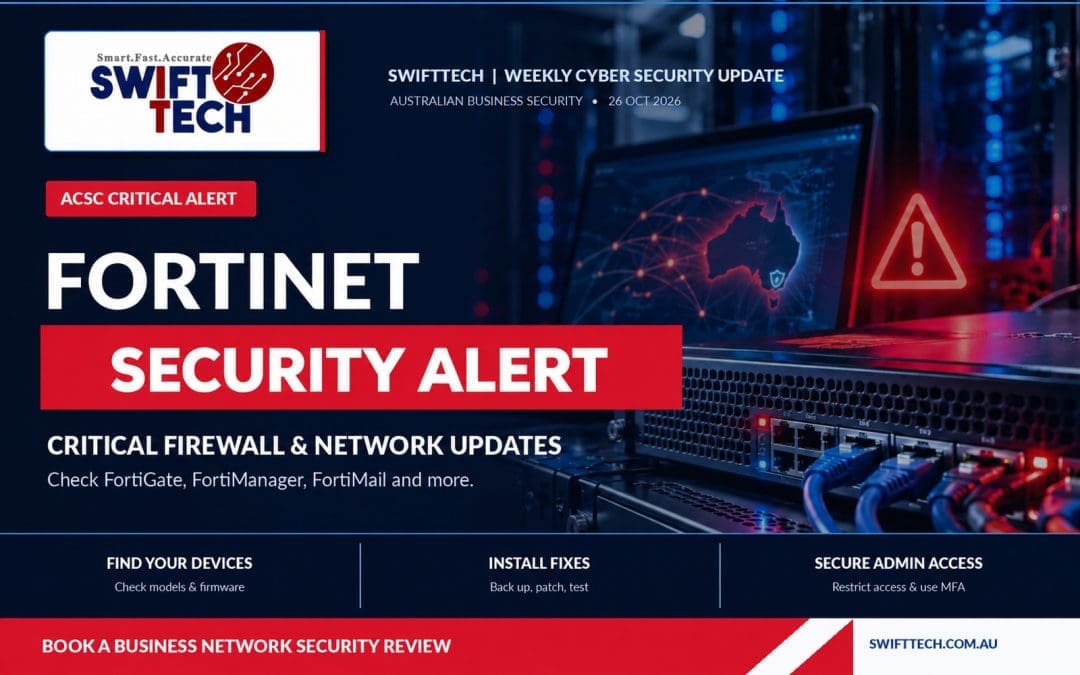
SwiftTech Weekly Cybersecurity Update | Monday, 26 October 2026
If your business uses a Fortinet firewall, VPN, email-security gateway or network management system, put a security check on this week’s priority list. A new round of critical and high-severity fixes has prompted an urgent alert from Australia’s cyber security authority. The good news is that updates are available for the listed products. The important part is making sure they have actually been installed.
On 21 October 2026, Fortinet announced a coordinated security-hardening release for several products. Its updates for FortiOS, FortiManager and FortiAnalyzer were scheduled for 22 October, following updates for FortiMail and FortiAuthenticator. On 23 October, the Australian Signals Directorate’s Australian Cyber Security Centre (ASD’s ACSC) issued a Critical alert asking Australian organisations that use Fortinet technology to act promptly. See the official ACSC warning and Fortinet’s original announcement.
The key message: this is about securing the Fortinet equipment and software protecting your business network. It does not mean every Fortinet customer has been hacked. The ACSC said on 23 October that it was not aware of active exploitation in Australia relating to this set of vulnerabilities. Businesses should still treat the updates as urgent.
What happened, and why is it important?
Many small businesses depend on a firewall to protect their internet connection, remote access and internal systems. A firewall is the device or service that helps control which network traffic is allowed through. Fortinet makes FortiGate firewalls and other security products used by organisations of many sizes.
Fortinet says its expanded security testing, including AI-assisted analysis, found weaknesses requiring critical and high-severity fixes. The company released updates for a range of products rather than waiting for a routine maintenance cycle. Fortinet also warned that attackers can study security patches to work out what was fixed and potentially develop attacks more quickly. That is a reason to update promptly, not evidence that these newly announced flaws have already been used against your particular business.
This announcement is separate from the earlier FortiMail CVE-2026-104286 warning that some businesses may have seen in early October. Do not confuse exploitation reports about older vulnerabilities with confirmed exploitation of the newly announced hardening release. As at 26 October, Fortinet plans to publish further technical advisories, including relevant CVE identifiers, on 10 November 2026. Check its PSIRT advisory page for later details.
Which products could be affected?
Fortinet’s announcement names these product families:
- FortiOS: software operating on many FortiGate firewalls and security appliances.
- FortiManager: a system for managing Fortinet security devices centrally.
- FortiAnalyzer: a product used to analyse security logs and events.
- FortiMail: an email-security product used to filter suspicious or unwanted messages.
- FortiAuthenticator: a service that can handle authentication, identity and secure access.
Fortinet says affected FortiSASE cloud services update automatically, but certain FortiManager Cloud installations may need manual action. Cloud customers should confirm their update status.
Your managed IT provider may have installed Fortinet equipment without you knowing its brand. Ask them to check.
Examples of FortiOS fixed versions
The following examples come from Fortinet’s 21 October announcement. The correct upgrade path depends on your particular device and supported software branch.
| FortiOS branch | Affected versions in Fortinet’s notice | Fixed version |
|---|---|---|
| 8.0 | 8.0.0–8.0.1 | 8.0.2 or later |
| 7.6 | 7.6.0–7.6.7 | 7.6.8 or later |
| 7.4 | 7.4.0–7.4.12 | 7.4.13 or later |
| 7.2 | 7.2.0–7.2.13 | 7.2.14 or later |
There are different fixed versions for FortiManager, FortiAnalyzer, FortiMail and FortiAuthenticator. Do not install a version from this FortiOS table on a different product. Your IT provider should use Fortinet’s complete affected-product list, the official upgrade path tool and the relevant release notes before scheduling a change.
What is the risk to a small business?
A security appliance is often positioned at the edge of your office network, where it can be reached indirectly or directly from the internet. If an exploitable weakness exists, the consequences could include unwanted access, interference with network settings or reduced protection for other systems. The exact outcome depends on the affected product, version, network exposure and specific vulnerability.
A network incident could interrupt email and cloud applications, remote VPN access, customer services or invoicing. Sensitive company data could also be at risk.
Update promptly but carefully: back up configurations and test services afterwards to avoid unnecessary outages.
Seven security checks to make this week
1. Find out exactly which Fortinet products you use
Ask your provider for product names, models and firmware versions across all locations and cloud installations. Check whether older devices remain supported.
2. Confirm whether the October security updates are installed
Request written confirmation that each relevant device or product has the vendor-recommended fixed release, or that an agreed upgrade has been scheduled. Ask which products were checked and when. A general statement that the firewall is ‘up to date’ is less useful than a recorded version and completed change.
3. Back up configuration before upgrading
A firewall configuration can include important rules, internet settings, VPN connections and network details. Fortinet recommends backing up configurations before patching. Keep the backup in a secure place and make sure the technician knows how to restore services if a problem occurs.
4. Limit access to device administration
The ACSC and Fortinet recommend restricting administrative interfaces such as HTTPS and SSH to trusted IP addresses, or disabling their exposure on external interfaces. FortiManager administration should not be accessible from the open internet. These are technical changes best handled by someone who understands your network so legitimate remote access is not accidentally disrupted.
5. Check administrator accounts and MFA
Review who can change firewall settings. Remove unneeded administrator accounts, use strong unique credentials and require multi-factor authentication (MFA) where supported. MFA adds an extra verification step, which makes stolen passwords less useful to criminals. Also check whether contractors still have access they no longer need.
6. Look for unusual changes or logins
Ask your technician to review logs for unexpected administrator sign-ins, unfamiliar configuration changes and other suspicious activity both before and after the update. Installing a patch closes known weaknesses, but does not prove that no earlier security incident occurred. If something looks wrong, preserve the evidence and arrange a proper investigation.
7. Test your connections and recovery plan
After maintenance, confirm that staff internet access, VPN, Wi-Fi, business applications, Microsoft 365 connectivity and remote sites still work. Make sure your business has reliable, tested backups and knows what to do if a security device fails. SwiftTech’s data protection solutions can help address the recovery side of the plan.
What if your provider cannot patch immediately?
Do not ignore the problem, but avoid making random configuration changes. Request an urgent risk assessment and temporary protections, such as restricting administrative access, taking public management interfaces offline and placing administration behind a secure VPN where appropriate. These steps help reduce exposure but do not replace the security updates. Prioritise internet-facing systems and agree on a maintenance window as soon as possible.
If you believe the device may already have been compromised, ask your IT provider to preserve logs and review access before making changes that might erase evidence. For urgent cyber incidents, organisations can also contact the ACSC on 1300 CYBER1 (1300 292 371).
How SwiftTech can help your business
You do not need to manage these checks yourself. SwiftTech works with businesses across Brisbane, Ipswich and surrounding areas on cybersecurity reviews, IT support and networking, Microsoft 365 and cloud services and backup and disaster recovery.
We can help identify affected equipment, work with your existing provider on the recommended security updates, review exposed management access and administrator permissions, and verify that your network and important business services work after maintenance.
Do not wait for a network outage or a security incident. Contact SwiftTech today to arrange a business network and security review.
Research checked 26 October 2026. Fortinet expects to publish additional technical advisories on 10 November 2026; affected versions and vendor recommendations should be rechecked before upgrading.