Microsoft Teams Helpdesk Impersonation Attacks: What Australian Businesses Need to Know
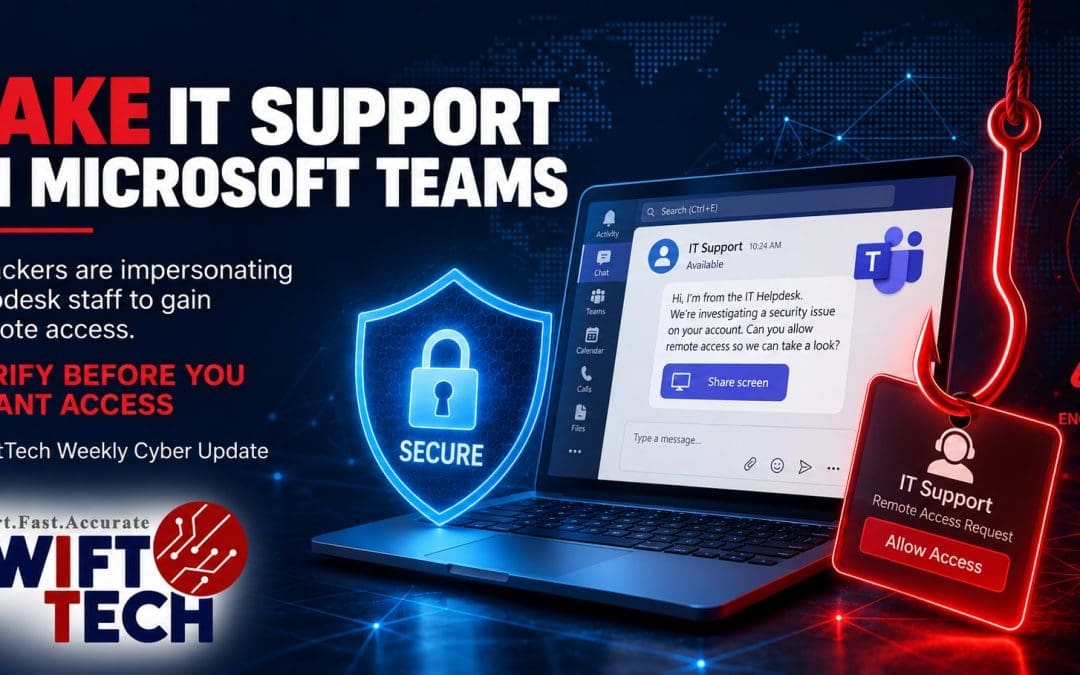
Microsoft has warned about a human-operated cyber intrusion campaign in which attackers use Microsoft Teams to impersonate IT support or helpdesk staff, persuade employees to grant remote access, and then use legitimate administration tools to move deeper into the victim’s environment.
For Australian businesses, the important lesson is simple: a message that appears inside a trusted business platform is not automatically trustworthy. The attack does not rely on a vulnerability in Microsoft Teams itself. Instead, criminals abuse legitimate collaboration and remote-support features and depend on social engineering to convince an employee to approve the access they need.
That makes this type of attack particularly relevant to small and medium businesses. Many organisations have trained staff to be suspicious of unusual email attachments and links, but an unexpected Teams chat or call from someone claiming to be “IT Support” can feel more legitimate and urgent.
What Microsoft Observed
Microsoft Threat Intelligence reported on 2 September 2026 that attackers were initiating contact from external Microsoft Teams tenants while pretending to be internal IT or helpdesk personnel.
The attacker’s goal is to persuade the employee to hand over interactive control of the computer. This can happen through a Teams screen-sharing control request, Microsoft Quick Assist, or another legitimate remote-support tool.
Once the victim grants access, Microsoft observed attackers using PowerShell to download and silently install a malicious MSI package. That package can stage a portable Node.js runtime and an obfuscated JavaScript implant that provides persistent command execution and command-and-control capability.
From there, the attacker can perform host and Active Directory reconnaissance, capture screenshots, discover servers and other network assets, and use legitimate Windows administration protocols such as WinRM to move laterally toward higher-value systems.
Microsoft notes that this type of activity can create the conditions for data theft, extortion, ransomware deployment or other follow-on attacks.
The key point is that many of the tools involved are legitimate. Microsoft Teams, Quick Assist, PowerShell, Windows Installer and administrative protocols all have genuine business uses. That allows malicious activity to blend into normal IT operations and makes user verification and endpoint monitoring especially important.
Why This Attack Can Be Convincing
Most employees understand that cybercriminals send phishing emails. They may be less prepared for a convincing support request that arrives through a collaboration platform they use every day.
An attacker can create urgency by claiming that the employee needs to complete a “security update”, “spam filter update”, “account verification” or other urgent maintenance task. The employee may then be asked to share the screen, approve remote control, open Quick Assist or read back a connection code.
Microsoft Teams displays indicators when contact originates from outside the organisation, but social engineering is designed to persuade the user to ignore those warnings.
This is why the issue should not be treated only as a technical problem. Security controls matter, but businesses also need a clear process that allows employees to verify whether a support request is genuine.
What Australian Businesses Should Do Now
1. Establish a Clear IT Support Verification Process
Employees should know exactly how legitimate IT support will contact them. Create a simple internal rule: if an employee receives an unexpected Teams message, phone call or remote-support request claiming to be from IT, they should verify it using a known internal channel before granting access.
For example, the employee could call the usual support number already stored in company documentation rather than using a phone number supplied by the person contacting them. Microsoft also recommends considering authentication phrases or other internal verification methods for helpdesk interactions.
2. Treat Unsolicited Remote-Access Requests as High Risk
Employees should never grant remote control simply because the request appears to come from a person with a convincing display name.
Unexpected requests involving Quick Assist, screen control, remote monitoring tools, command prompts, PowerShell or software installation should be independently verified. If a support technician genuinely needs remote access, the session should be initiated through the organisation’s normal support process.
3. Review Microsoft Teams External Access
Businesses should review whether users need to communicate with every external Teams tenant. Where appropriate, external collaboration can be restricted to trusted domains or configured according to business requirements. The objective is not necessarily to disable useful collaboration, but to reduce unnecessary exposure and make unexpected external contact easier for employees to recognise.
Microsoft recommends training staff to identify external-tenant indicators and report suspicious Teams chats and calls.
4. Strengthen Microsoft 365 Identity Protection
In September, the Australian Signals Directorate’s Australian Cyber Security Centre is encouraging Australians to strengthen multi-factor authentication. ASD reported that 42% of industry, government and critical-infrastructure incidents reported to it in 2024–25 involved compromised accounts or credentials.
MFA remains essential, but phishing-resistant authentication such as passkeys provides stronger protection where supported.
Businesses should also review administrator accounts, Conditional Access policies, legacy authentication, sign-in risk, unused accounts and excessive privileges.
SwiftTech recently covered why modern Microsoft 365 phishing can sometimes defeat weaker MFA workflows. The practical response is layered identity protection rather than relying on one control.
5. Monitor Endpoints for Remote-Support Abuse
Endpoint monitoring can help identify suspicious activity after a remote session begins.
Security teams should pay attention to unusual Quick Assist activity, unexpected remote monitoring and management software, PowerShell downloads, MSI installations from unusual locations, unexpected Node.js execution, suspicious command-line activity and changes to endpoint security controls.
Microsoft Defender XDR includes detections and hunting guidance for activity associated with the campaign. Smaller businesses without an internal security team should make sure their endpoint protection and managed monitoring are configured to alert on suspicious remote-access behaviour.
6. Apply Least Privilege
A single employee workstation should not provide a simple path to domain-wide administrative control.
Limit local administrator rights, separate ordinary and privileged accounts, restrict administrative protocols, review service-account permissions and ensure that sensitive systems are accessible only to users and devices that genuinely require them.
These controls align with the broader principles of the ACSC Essential Eight, including restricting administrative privileges, patching, multi-factor authentication and maintaining reliable backups.
7. Maintain Protected and Tested Backups
Backups do not stop an attacker from obtaining remote access, but they can significantly reduce the impact of ransomware or destructive activity.
Critical business data should be backed up automatically, protected from normal user and administrator access where practical, and tested regularly for recovery. A backup that has never been tested is not a complete recovery strategy.
Learn more about SwiftTech data protection and backup solutions.
Warning Signs Employees Should Recognise
- The sender claims to be IT support but is marked as external.
- They create urgency around an account problem or security update.
- They ask the employee to open Quick Assist or another remote-control tool.
- They request screen control unexpectedly.
- They ask the employee to run commands or PowerShell.
- They send a software installer or ask the employee to approve an installation.
- They tell the employee not to contact the normal IT provider.
- They ask for passwords, MFA codes or other authentication information.
- They become pushy when the employee wants to verify the request.
Employees should be encouraged to stop the interaction and verify it. A legitimate IT provider should not object to an employee confirming an unexpected support request.
What to Do if Someone Has Already Granted Access
If an employee has already given remote access to an unknown or suspicious person, treat the situation as a potential security incident.
Disconnect the affected computer from the network if this can be done safely, contact your authorised IT or cybersecurity provider, preserve relevant logs and evidence, and review the account and device for suspicious activity.
Depending on what occurred, the response may include terminating remote sessions, isolating the endpoint, reviewing installed software and persistence mechanisms, checking Microsoft 365 sign-in activity, revoking active sessions, resetting affected credentials, reviewing MFA methods, examining administrator accounts, checking for lateral movement, and inspecting other endpoints and servers.
Do not assume the incident is resolved simply because the remote-support window has been closed.
How SwiftTech Can Help
The Microsoft Teams campaign is another example of why business cybersecurity needs multiple layers: secure identity, properly configured Microsoft 365 services, endpoint protection, monitoring, restricted privileges, reliable backups and staff who know how to verify unusual requests.
SwiftTech can help Australian businesses review and strengthen their environment, including:
- Microsoft 365 and email security;
- Microsoft Teams and external collaboration settings;
- phishing-resistant MFA and identity protection;
- cybersecurity assessments and Essential Eight implementation;
- endpoint monitoring and protection;
- managed IT support and helpdesk processes;
- network and Wi-Fi security; and
- encrypted backup and disaster recovery.
If you are unsure whether your staff could recognise a fake IT-support request, or whether your Microsoft 365 and endpoint security settings are strong enough to contain one, a practical security review can identify the gaps before an attacker finds them.
Verify the caller. Protect the account. Monitor the endpoint. Back up the business.